
01
Find a spark
Browse animals, vehicles, and more to choose a picture that catches your imagination.
let-series
A coloring app for kids with pictures to color, pencils, markers, and airbrushes. Explore Colorlet screenshots and find it on the App Store.

 Take a peek inside
 A little room to explore
A little color can make a picture entirely your own. Colorlet pairs a world of illustrations with playful art tools, giving young artists room to experiment and a gallery to keep their favorites.
01
Browse animals, vehicles, and more to choose a picture that catches your imagination.
02
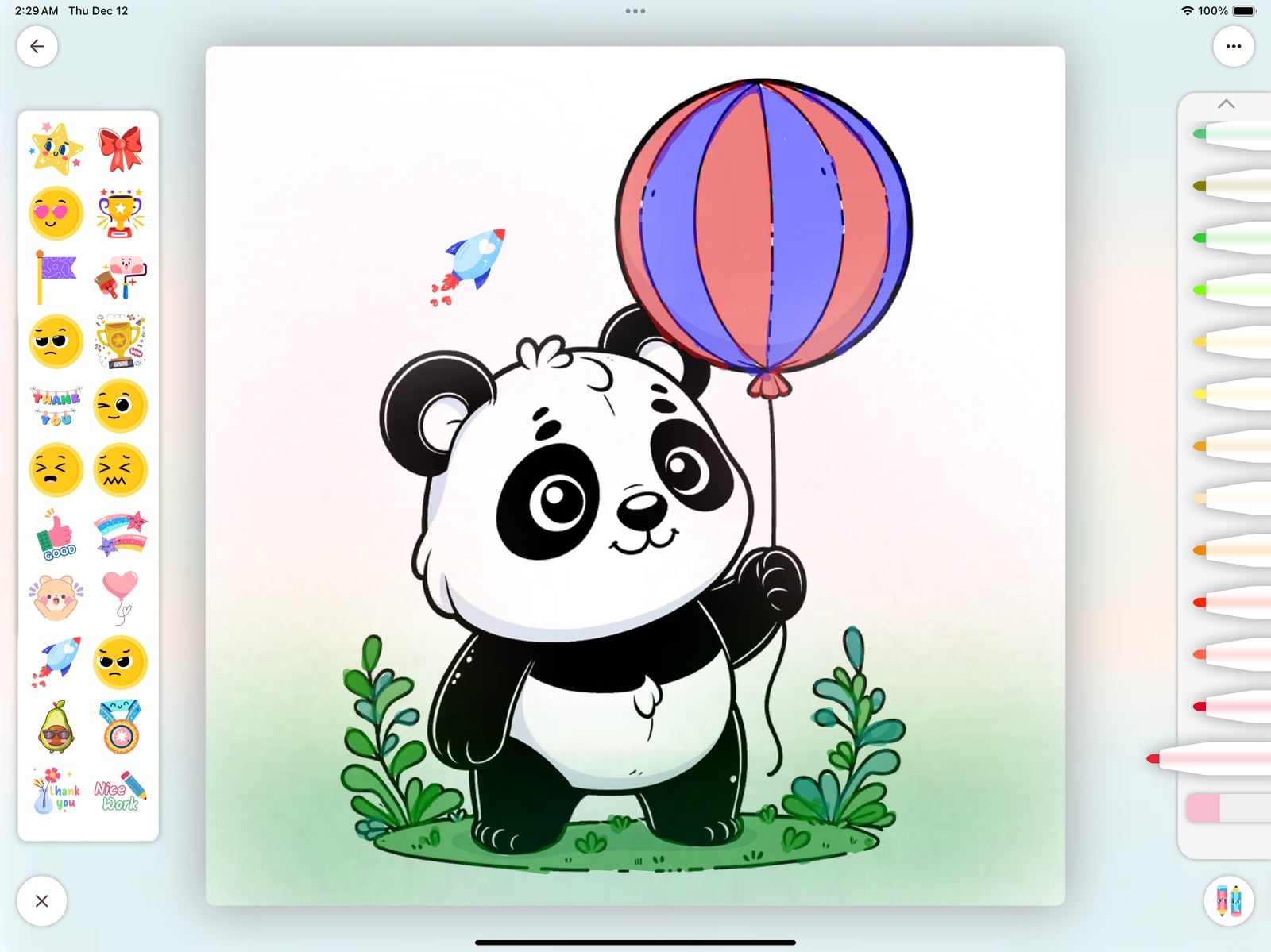
Try pencils, markers, and airbrushes. Mix your favorite colors and give each picture a personal touch.
03
Save artwork in your gallery, share it with family, or print a page for creative time on paper.
A peek inside
Explore Colorlet through real in-app screens.
Turn a panda and a balloon into a colorful little adventure.
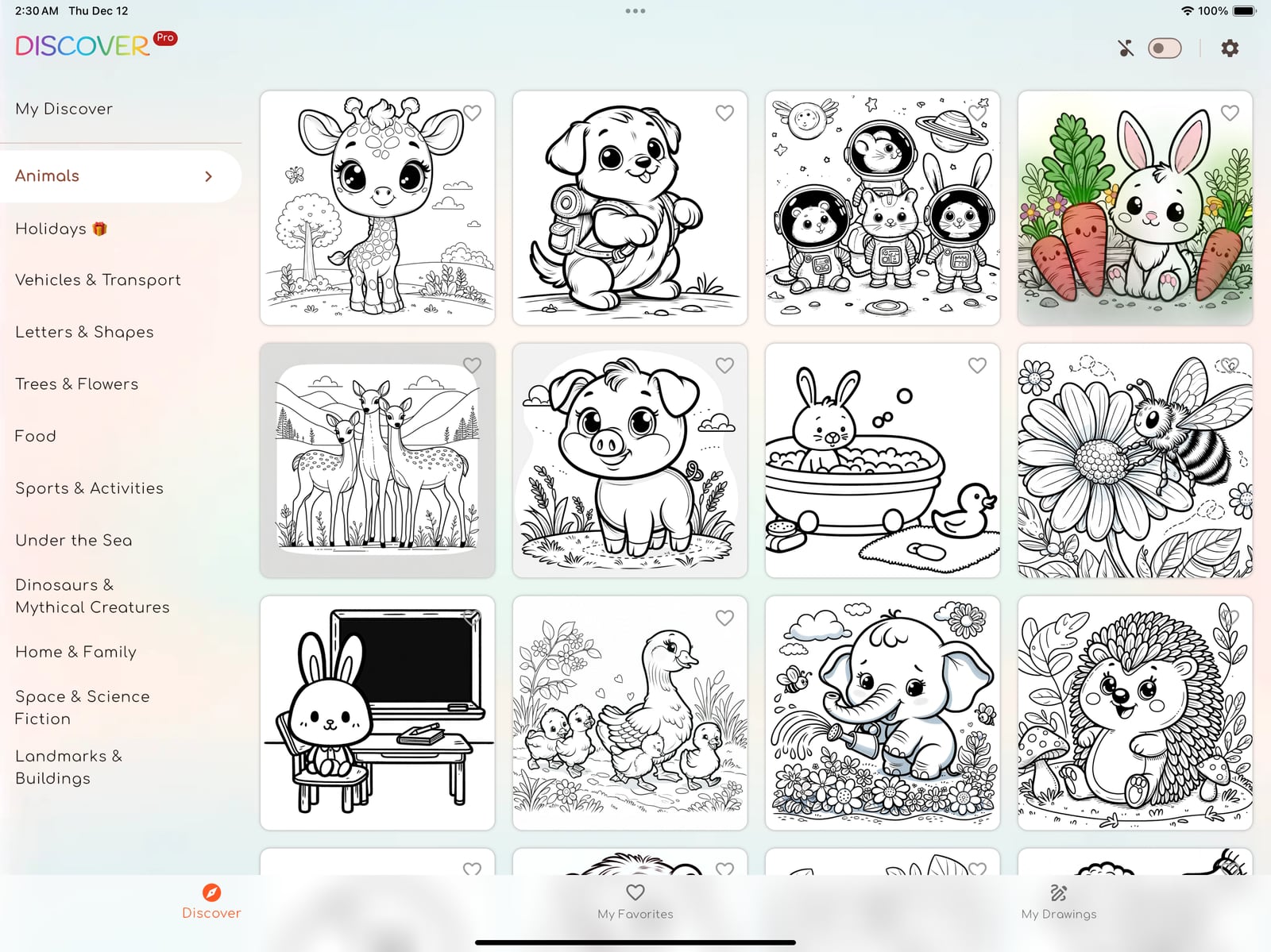
Explore a collection of animal pictures waiting for color.
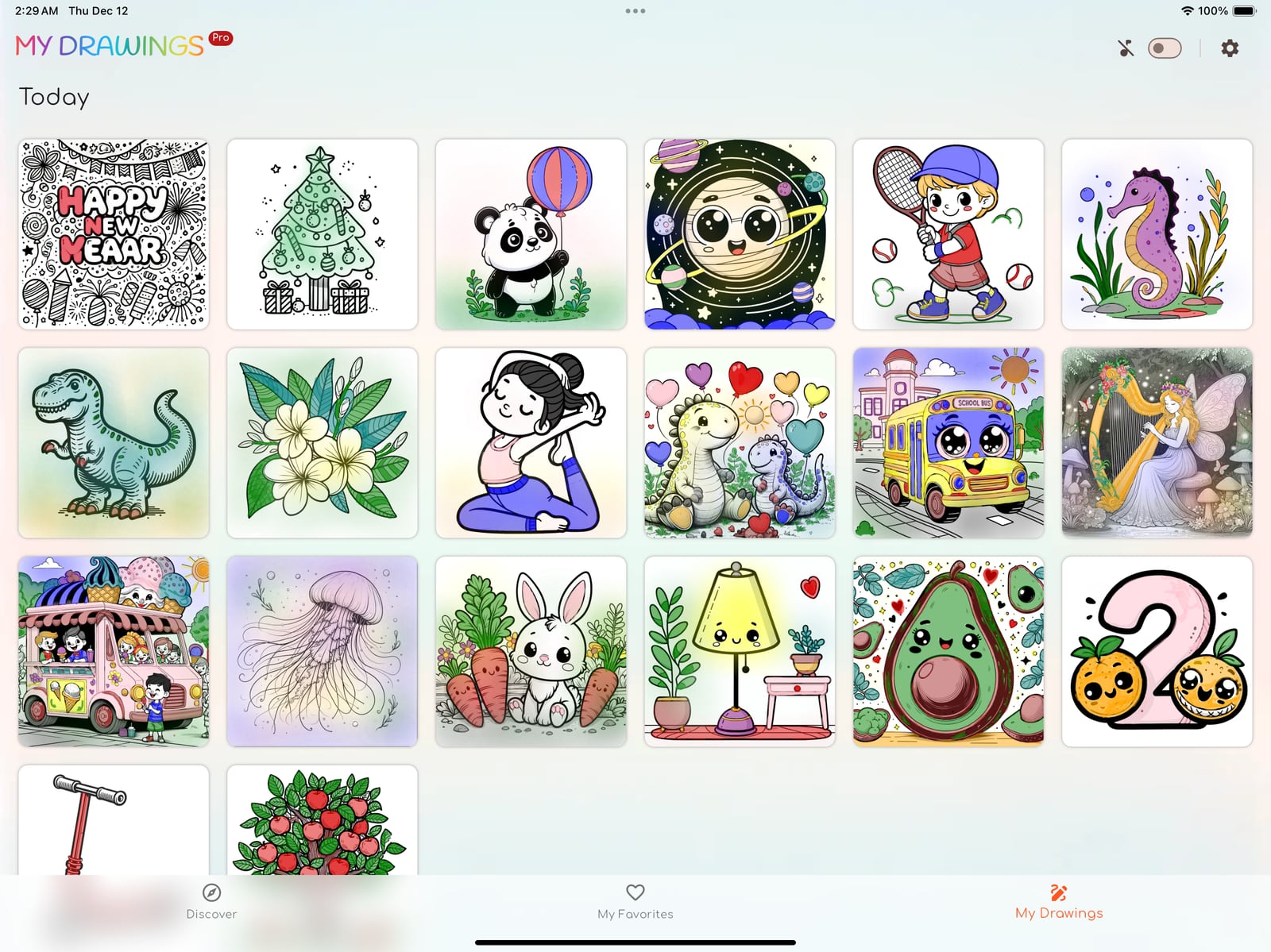
Revisit the pictures you’ve made and pick up another idea.
A little inspiration. Now it’s your turn.
iPad with iPadOS 13.0 or later. Check the App Store listing for additional compatibility and current requirements.
Free to download, with in-app purchases. Extra features and purchase options vary; check the current App Store listing before downloading.
Colorlet includes offline coloring and printable artwork. Some offline and printing features require Pro access; check the current App Store listing for details.
View Colorlet on the App Store
Email support@kidzzlet.com with the product name and your device. We’ll help you find the next step.